FAQ - Frequently Asked Questions
Everything you need to know about TripSuite.
Yes. AI itinerary generation is a core feature of TripSuite and is fully available on the Free plan. You can create unlimited trips, generate AI-powered timelines, and refine them as many times as you need — all without paying anything.
Pro adds deeper intelligence on top of the same workflow: a persistent travel profile that learns your preferences, smarter conflict resolution with prioritized suggestions, professional PDF exports for timelines and expense reports, and history insights across your completed trips.
Yes. TripSuite is designed to work offline. You can view and manage your full trip plan without an internet connection. Changes sync automatically when you reconnect.
No. TripSuite is a planning and itinerary tool, not a booking platform. It works alongside your existing booking tools — helping you organize, structure, and refine your trip plan once you have your flights, hotels, and meetings confirmed.
Yes, with TripSuite Pro. Pro includes a Professional Timeline Export (PDF) for sharing your day-by-day plan with colleagues or stakeholders, and an Expense Report Export (PDF) ready for finance and reimbursement.
Getting Started
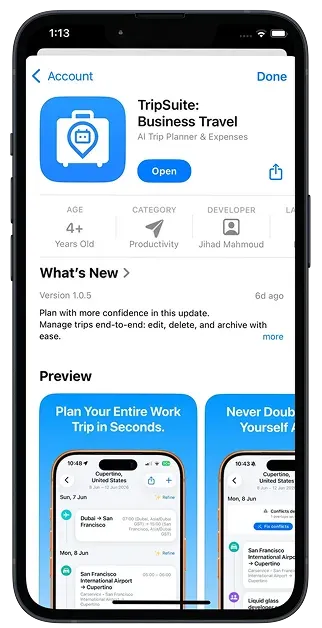
Describe your trip: destination, dates, purpose, and any meetings or flights. TripSuite's AI builds a structured day-by-day timeline from that input. You can then edit, reorder, or regenerate any part of it.
Yes. Every item in an AI-generated timeline is fully editable. You can rename, reschedule, add notes, attach files, or delete any event. The AI gives you a starting structure — you are always in control.
TripSuite is built specifically for business travel. It handles flights, meetings, hotel check-ins, and layovers in a single structured timeline. Conflict detection keeps your schedule from overlapping, and Pro adds expense tracking and PDF exports.
Planning & Timeline
Tap the + button in any trip to add a timeline item. Choose a type (flight, meeting, hotel, transfer, etc.), fill in the details, and TripSuite will place it in your schedule. You can also let AI generate the full day and then edit specific items.
TripSuite checks your timeline for overlapping events and tight transitions. When a conflict is detected, it highlights the affected items and suggests adjustments. Pro users get prioritized suggestions based on their travel profile.
Yes. Your full trip plan is available offline. You can view and edit timelines without an internet connection. Changes sync automatically when connectivity is restored.
Location & Maps
Location access is optional and used to pre-fill your departure city or associate a location with a timeline item. It makes adding trip details faster and is never required to use the app.
No. TripSuite does not track your movement or run location services in the background. Location is only accessed when you explicitly use a feature that requires it and is never stored persistently without your action.
Attachments & Expenses
Open any trip, go to the Expenses section, and tap Add Expense. Enter the expense details and attach a photo of your receipt. Pro users can export all expenses as a formatted PDF report ready for reimbursement.
Yes. Attachments are stored securely and are only accessible to you. They are not shared with third parties and are protected by the same encryption applied to all user data.
Subscriptions & Billing
Pro includes a persistent AI travel profile, smarter conflict resolution with prioritized suggestions, professional PDF exports (timeline and expense report), and trip history insights. Priced at $12.99/month or $99.99/year.
Open the App Store on your device, go to your account settings, and select Subscriptions. Find TripSuite Pro and tap Cancel. Your Pro access continues until the end of the current billing period.
Make sure you are signed in with the same Apple ID used to purchase Pro. If the issue persists, go to Settings in TripSuite and tap Restore Purchases. Contact support if the problem continues.
Account & Privacy
Go to Settings inside TripSuite and select Delete Account. All your personal data and trip history will be permanently removed within 30 days. This action cannot be undone.
TripSuite stores the account information and trip content you create. Diagnostic data is collected in anonymous form only. We do not store payment details. See our Privacy Policy for full details.


Still have questions?
Our support team is here to help. Whether it's a billing question,
a technical issue, or just feedback — we'd love to hear from you.
Your trips deserve structure that adapts.
Plan faster. Refine less. Travel with confidence. TripSuite is free to start, available on iPhone, iPad, and Mac.

iPhone · iPad · Mac